UI Essentials 3D Icon Pack for Modern Design Projects
Designers and developers are always on the lookout for tools that streamline their workflow while elevating the visual appeal of their projects. The UI Essentials 3D Icon Pack offers a compelling solution with its vibrant, high-quality icons that blend modern aesthetics with functional design. Whether you're building a mobile app, designing a dashboard, or prototyping a web interface, this icon pack delivers versatile assets that enhance both usability and engagement.
What Makes the UI Essentials 3D Icon Pack Unique?
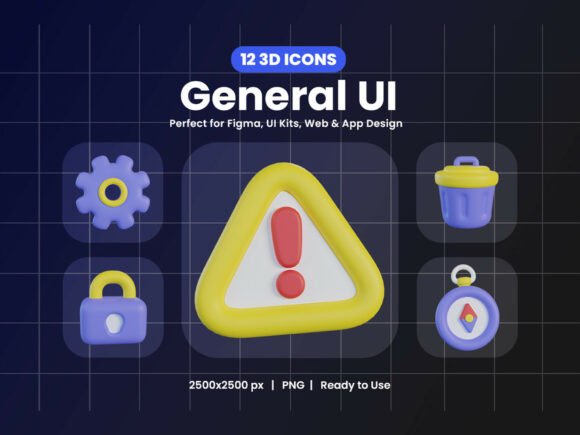
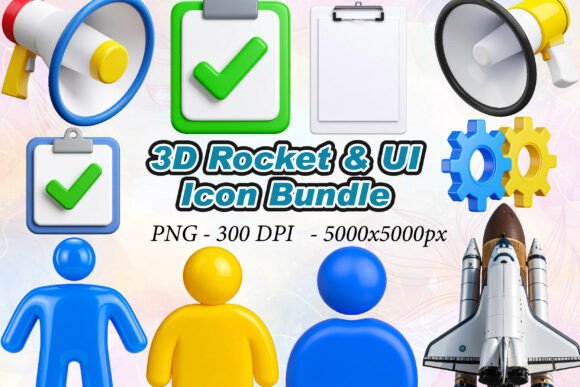
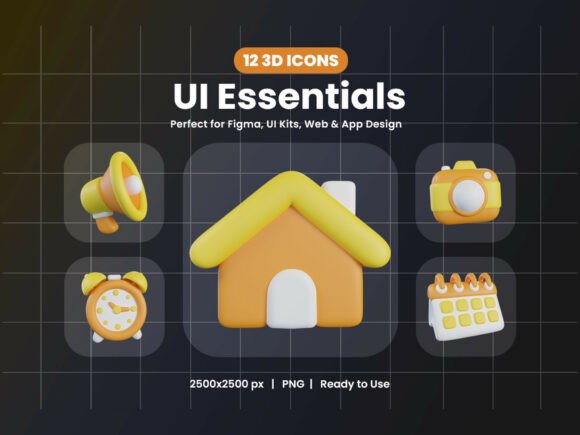
The standout feature of this pack is its smooth chubby style, which brings a playful yet professional tone to digital interfaces. These icons are crafted with soft curves and bold colors, making them visually appealing without overwhelming the design. Each icon represents a core UI element—think chat bubbles, home buttons, calendar views, and lock symbols—ensuring you have the essentials at your fingertips.
Included in the pack are 12 PNG files at 2500x2500 px resolution with transparent backgrounds, giving you the flexibility to integrate them seamlessly into any design system. Additionally, the 12 OBJ 3D model files allow for further customization, enabling designers to manipulate lighting, angles, and textures for unique visual effects.
Key Features That Stand Out
- High-resolution 3D renders that maintain clarity across devices and screen sizes
- Chubby style that balances modernity with approachability
- Essential metaverse elements like VR headsets, avatars, crypto coins, holograms, and portals
- Transparent background PNGs for easy layering and integration
- OBJ 3D models that support advanced customization and animation
This combination of features makes the UI Essentials 3D Icon Pack ideal for a wide range of digital environments, from mobile UI/UX design to creative infographics and immersive web experiences.
Practical Applications Across Industries
One of the biggest advantages of this icon set is its versatility. Here are a few real-world applications where these icons can make a significant impact:
- Mobile and Web App Development – Whether you're building a productivity app or a social media platform, the icons provide a consistent visual language that improves navigation and user experience.
- Prototyping and Wireframing – UX designers can quickly mock up interfaces using these icons, speeding up the early stages of development without sacrificing quality.
- Notification and Messaging Systems – With icons like chat bubbles and alerts, you can design intuitive notification interfaces that users instantly recognize and engage with.
- Dashboard and Analytics Platforms – The clean, modern look of these icons helps organize complex data visualizations, making dashboards more digestible and professional.
- Metaverse and Web3 Projects – As digital experiences evolve, the inclusion of VR headsets, avatars, and crypto-related icons positions this pack as a valuable asset for next-gen UI design.
How It Enhances User Experience and Branding
Icons are more than just decorative elements—they serve as visual cues that guide users through an interface. The UI Essentials 3D Icon Pack enhances usability by offering clear, recognizable symbols that reduce cognitive load and improve navigation efficiency. The chubby style adds a friendly, approachable feel, which can be especially effective for apps targeting younger audiences or those aiming for a more personable tone.
From a branding perspective, using a cohesive set of icons contributes to a unified visual identity. Consistent iconography reinforces brand recognition and communicates professionalism. Whether you're designing a corporate dashboard or a consumer-facing app, these icons help maintain a polished, modern aesthetic that aligns with current design trends.
Designing with the Chubby Style: What to Consider
While the chubby style brings a fresh, contemporary look, it’s important to ensure it aligns with your project’s overall tone. For example, a sleek fintech app might benefit from a more minimalist icon set, while a creative portfolio or gaming app could thrive with the playful energy of these icons. Always consider the context and audience when integrating visual assets into your design system.
Also, keep in mind that while the icons are high-resolution and visually rich, they should be used strategically. Overloading an interface with too many 3D elements can lead to visual clutter. Balance is key—use these icons to highlight key actions or features without overwhelming the user.
Implementation Tips for Designers and Developers
For best results, follow these practical tips when using the UI Essentials 3D Icon Pack:
- Optimize for performance – While the PNG files are high-resolution, compress them appropriately for web use to maintain fast load times.
- Use consistent spacing – The chubby style has a larger visual footprint, so ensure proper padding and alignment within your layout.
- Test across devices – Confirm that icons remain legible and visually appealing on both desktop and mobile screens.
- Customize with care – If modifying the 3D models, maintain the original lighting and texture style to preserve visual harmony.
- Pair with compatible fonts – Although fonts are not included, choose clean, modern typefaces that complement the chubby aesthetic.
Final Thoughts
The UI Essentials 3D Icon Pack is a valuable addition to any designer’s toolkit. Its thoughtful design, high-quality assets, and adaptability make it a go-to resource for a variety of digital projects. Whether you're working on a mobile app, a creative dashboard, or a futuristic metaverse interface, this pack provides the visual tools needed to enhance functionality and elevate your design. By integrating these icons thoughtfully, you can create interfaces that are not only beautiful but also intuitive and user-friendly.